

Inside Pirros: An AI Drawing Reviewer and Mira, an AI Partner Inside Revit
ICYMI: Ari Baranian of Pirros walks through an AI drawing reviewer and Mira, an AI partner inside Revit, in a live TRXL Feature Spotlight.
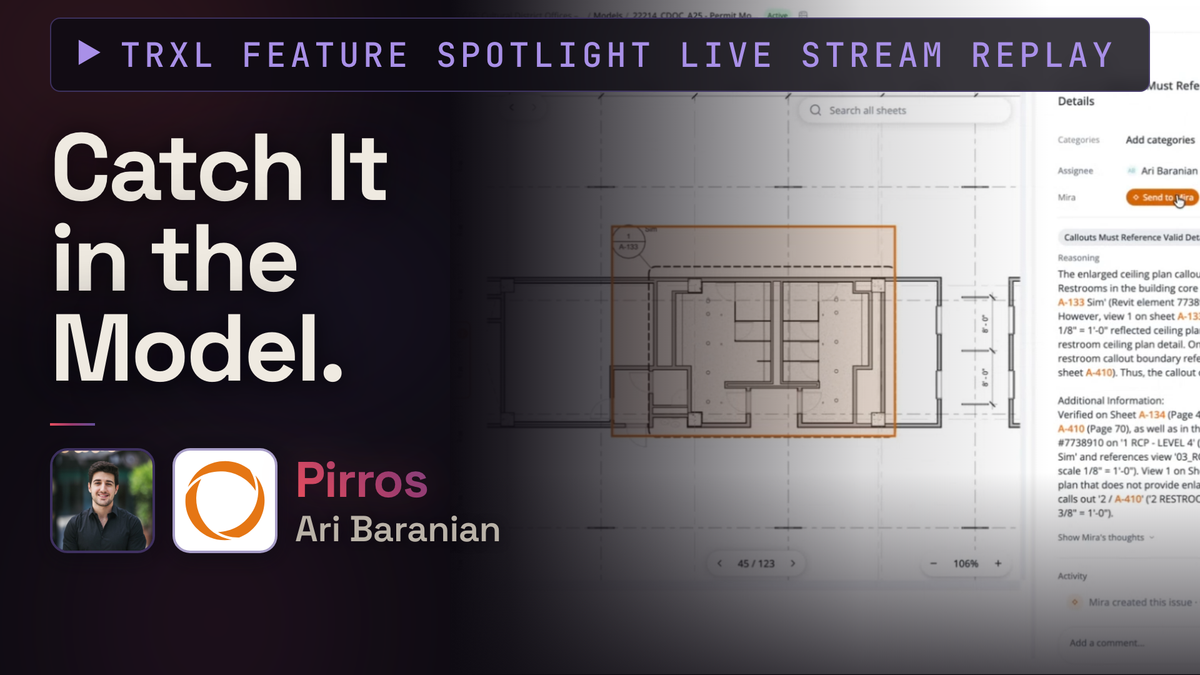
For the TRXL Feature Spotlight I was joined by Ari Baranian, CEO and co-founder of Pirros, showing two tools that work together: the Pirros Quality Management System and Mira.
Ari used to be a structural engineer, so he knows how a review actually happens at a firm. Someone senior gets handed a set right before a submittal and has to find what's wrong. Those people are scarce, and their time is scarcer. I wanted to see what happens when an AI takes that seat, and whether anyone would trust it.
The Quality Management System
The Quality Management System runs a project through an AI reviewer. It checks against building codes (Ari showed ADA issues), a set of default rules for drawing set integrity like spelling and callouts that must reference somewhere real, your firm's standards, and your client's standards if they hand you theirs. Each flagged issue shows what's wrong, where it sits in the PDF set and the Revit model, and the reasoning behind it.
The part I care about most is how standards get in. Ari said customers could never really tell him what they look for in a review, because it only surfaces when a set is in front of them. The unlock was historical data: Bluebeam markups from past reviews, or recordings of page-turn meetings. Feed those to an AI, let it find what keeps getting flagged, and add it to a standards file. A red line on a PDF doesn't say why it's there, so getting the why on paper matters.
Ari also showed the reviewer working across disciplines. In one example, the architectural set referenced a structural detail correctly, but the structural set showed something different on top of the wide flange beam. The agent followed the reference chain and flagged it for coordination. A viewer asked a question during the demo about firms that don't have the other discipline's Revit model. Ari said you can add the structural PDFs as references, and specs too, since drawings and specs often disagree. While having access to models is a benefit, it still works without them.
I brought trust up repeatedly, so Ari walked through one check in detail. The firm standard says every site plan needs a north arrow. The agent saw one was missing, then checked the project metadata, found the north arrow parameter set to no on that sheet and yes on another, and told the user which toggle to flip. It does that research before it shows you an issue.
A few more mechanics from the Q&A:
- Issues can be assigned to teammates, imported from ACC/Forma or internal peer reviews, and exported to PDF for people outside your firm.
- Reviews can run on a schedule or at milestones. Each run has the context of the last one, so it closes out resolved issues, finds new ones, and costs less.
- The PDF set is the source of truth for the review. The Revit model is a reference.
Mira
Mira is the AI engine behind the reviews, and it also works inside Revit. Ari asked it to list the families in a project, then showed what it can do with them. The team at Pirros built a skill that creates a family from a manufacturer cut sheet. Dan Stine posted about doing this for a pizza oven. Drop in the PDF and Mira builds the family, following your standards if they're documented. It can produce 3D geometry, 2D detail items, or both.
Mira also looks at what you're looking at. It takes a screenshot of the view, adds grids so it has some sense of scale, and reads the metadata and text of every element along with the image. Another skill converts a CAD import into a Revit drafting view. It places families, compares screenshots side by side, and asks you when no family fits. Ari kept returning to one point: the agent is tuned to ask instead of guess.
Skills were the part I found most useful as a practitioner. Ari had Mira lay out details on a sheet once, and it took a lot of thinking. At the end he told it to document everything as a skill. Now the task is a short list of clear steps and a rules section that grows as edge cases show up. Ari compared it to training an intern who doesn't know Revit yet. Because the steps are documented, the run is cheap. The agent also looks for a matching skill before it starts a task, so you don't have to train your team on each one.
I added my own take: skills are an iterative design process. You don't get a one-shot result. You start from a baseline, work through the project, then update the skill with what you learned. Ari agreed, and noted that anyone showing a magic one-shot prompt spent a long time iterating to get there.
Two stories from Ari stood out. One firm creates roughly 1,000 families a year because their procurement is tied to families, and Mira cut that time down enough that it led to the create-family skill. Another user complained Revit was slow, asked Mira why, and found 1.2 million warnings. Mira offered to fix the one issue behind nearly all of them, and the count dropped to about 500. I'm guessing a fix like this alone could pay for a seat of Mira.
Closing the loop
The two tools connect. When the reviewer flags an issue, you can assign it to someone or press Send to Mira. In the example, a callout on A-133 referenced the wrong view. Mira found the right reference on A-410, and if the same model is open, it starts a new chat and makes the change. Nothing changes until the reviewer approves. What I saw was not an AI that designs a building. It's help with the coordination and double-checking that wears people down.
Practical notes
- Data: Customer data is kept separate. Models aren't trained across customers. Ari said the only tuning is on your own standards, and data is hosted on AWS in the same region as ACC.
- Models and cost: Mira routes between frontier models and Pirros's own fine-tuned models depending on the task. You can't bring your own API key.
- Plans: There's a free individual start with a token cap, and a team plan with a shared token pool that admins allocate. Skills sharing and your Pirros library of details and families come with the team plan.
- Disciplines: Mira is trained across disciplines. Civil is the weak spot because that work happens in Civil 3D and AutoCAD. Ari said the engine is being ported to plugins for both.
- Standards from your own files: Ari pointed Mira at a folder of 10 past models and 8 templates and asked it to find Revit standards. It listed what was already consistent (fonts, dimension styles, line styles) and what wasn't, like title blocks, then he turned that into a standards document. People have also built an /audit skill so a BIM manager can check a project against that file on a Friday.
Where to see it
Pirros.com/evan has more information and a way to book a live demo with your own questions. You can also read about the Quality Management System and Mira. Thanks to Ari for a demo with no filler, and to everyone who asked questions in the chat.
To catch the next Feature Spotlight, subscribe to the TRXL YouTube channel or sign up to become a free or supporting member here.